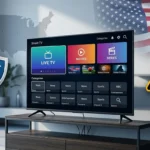
If you’re shopping for IPTV, skip the hype and audit the essentials. Use this field‑tested checklist to spot a real premium IPTV service—before you waste weekends troubleshooting.
This guide is for cord‑cutters, busy families, and sports fans who want reliability over flashy claims. Read the overview, then use each feature section to evaluate, test, and verify a provider during your trial window for the best Premium IPTV Service. Every section includes:
Why it matters (business impact on your viewing).
What to look for (signals and benchmarks).
At‑home tests (simple steps you can run in minutes).
Red flags (signs to walk away).
The 5 Must‑Have Features of a Premium IPTV Service (Overview)
99.9% uptime with redundancy (multi‑region servers and instant failover).
Consistent HD/FHD/4K quality with adaptive bitrate (ABR) and modern codecs.
Full guide & catch‑up (EPG, 7–14 day catch‑up, timeshift/DVR).
Works with your devices out of the box (popular players + Smart TV/Fire TV/Android TV/mobile).
Why it matters If a provider runs a single region or box, you’ll feel every wobble—especially on match nights. Redundancy spreads load across regions and CDNs so maintenance or spikes don’t take you down.
What to look for
Multi‑region endpoints and clearly labeled backup portals.
Healthy playback at peak hours (evenings/weekends).
Short time‑to‑first‑frame (target ≤2 seconds on FHD) and quick channel zaps (≤1.5 seconds between channels).
Clear status communications during maintenance windows.
At‑home tests
Stream two live channels on two devices at primetime; switch between them ten times. Note any stalls or long zaps.
Start a live 4K channel, then rapidly change quality by moving between rooms (strong Wi‑Fi → weak Wi‑Fi). A resilient service continues without full rebuffer.
One domain for everything, frequent “portal not found,” or repeated evening slowdowns.
Outages with no explanation.
Inline IPTV fit Built for stability. During your trial, stream at your busiest local hour to validate real‑world uptime: start free trial.
Feature 2 — HD/FHD/4K Quality with ABR
Why it matters Picture quality isn’t only “4K.” It’s consistency—no stutters when the network dips. With ABR, the stream adjusts quality to your bandwidth in real time.
Modern codecs (H.265/HEVC) for efficient 4K and lower data use.
Minimal startup delay and quick quality ramp‑up after a dip.
Clean motion on sports (target 50/60 fps where available) and stable audio/video sync.
At‑home tests
Run a 4K stream and walk to your weakest Wi‑Fi spot; the picture should step down but keep playing.
Toggle between Wi‑Fi and mobile hotspot; the stream should re‑stabilize within 3–5 seconds.
On older devices, switch the player to hardware decode and set buffer to “small/auto”; confirm fewer stutters.
Red flags
Sudden black screens when bandwidth drops, constant rebuffering, or audio‑video drift.
Inline IPTV fit – Premium IPTV Service Offers HD/FHD/4K where available. Use the trial to test ABR behavior on your own network.
Feature 3 — EPG, Catch‑Up & Timeshift/DVR
Why it matters If you can’t find or replay content, you won’t watch it. A premium IPTV service should give you a fast EPG, 1–2 day catch‑up, and timeshift/DVR for live events.
What to look for
EPG loads in seconds; program data matches what’s on‑air.
Catch‑up available on the channels you actually watch (news, sports, series).
Timeshift/DVR that can pause live TV and rewind at least 60 minutes.
Search that indexes both live and VOD; watch‑history to resume later.
At‑home tests
Open the EPG and scroll a full day; note load time and accuracy.
Replay a finished show from catch‑up; jump to the last 5 minutes; confirm smooth seeking.
Start a match, pause for 5 minutes, and resume without desync.
Red flags
Empty EPG, missing categories, or a “catch‑up” tab that rarely contains the shows you need.
Inline IPTV fit – Premium IPTV Service EPG plus catch‑up and a clean VOD layout that helps you watch—not hunt.
Feature 4 — Works With Your Devices & Favorite Players
Why it matters Your IPTV should work with what you already own—no arcane boxes required.
What to look for
Popular players supported out of the box (e.g., TiviMate, IPTV Smarters).
Smart TV apps (Samsung/LG where possible), Android TV, Fire TV, phones/tablets.
Easy onboarding via Xtream Codes or M3U, plus a clear EPG URL.
Reasonable simultaneous streams per account; clear device limit policy.
At‑home tests
Add the service on two different devices (e.g., Smart TV + Android TV box). Confirm both can play live TV simultaneously without errors.
In the player settings, enable hardware decoding and verify smoother playback on older hardware.
Save a few favorites and reboot the app; confirm they persist.
Red flags
Only one obscure app works; constant “device limit” errors; or the service forces you to buy a specific box.
Inline IPTV fit Compatible with the mainstream players above; onboarding takes minutes. and recommended to be one of the top Premium IPTV Services
Feature 5 — Real Support, Clear Policies & Secure Payments
Why it matters When something breaks, you need humans—and policies you can actually read.
What to look for
24/7 support with real response times (aim for under 10 minutes for chat/tickets in peak hours).
Transparent refunds, pausing, and plan changes.
Secure, straightforward checkout; no shady side channels.
Clear comms for maintenance and upgrades.
At‑home tests
During your trial, send one pre‑sales and one technical question. Measure time‑to‑first‑reply and completeness of the answer.
Ask about plan changes and refunds; you should get a direct, written policy.
Red flags
Support that never replies, vanishing portals, or only social‑media DMs.
Inline IPTV fit 24/7 support and clear plan pages—send a quick pre‑sales question to test speed.
Bonus — Honest Pricing & a Risk‑Free Trial
Premium providers don’t hide the ball. You should see all plan details before paying and get a free 24‑hour trial to test your home network, devices, and apps.
30‑Minute Trial Plan
Install on two devices you actually use.
Watch one live sports channel, one movie, and one news channel.
Walk to your weakest Wi‑Fi spot; confirm ABR steps down without stopping.
Contact support once; evaluate response time and clarity.
What internet speed do I need? Plan on ~10 Mbps per HD stream and 25 Mbps+ per 4K stream. If multiple screens run at once, add them up. ABR helps on weaker links but can’t fix severe congestion.
What’s the difference between Xtream Codes and M3U? Both connect your player to your provider. Xtream Codes uses server/username/password; M3U is a single playlist URL. Many players support both; keep both configured as a fallback.
Will a VPN help with buffering? Sometimes. If your ISP throttles or blocks endpoints, a VPN can help. If the VPN adds latency, try turning it off.
Can I watch while traveling? Usually yes, but performance depends on the destination network. Test on mobile data during your trial.
How many devices can I use at once? Check the plan’s simultaneous stream limit. If you regularly watch on multiple TVs, pick a plan that matches your use.
Is IPTV legal? It depends on what you watch and your local laws. Only stream content you have rights to view.
Copy‑Paste Checklist (Keep This Handy)
Uptime feels stable at peak hours; quick zaps; no unexplained outages.
ABR adapts cleanly; 4K → FHD → HD without full stops.
EPG loads fast; catch‑up works on your core channels; timeshift/DVR is reliable.
Works with your devices and favorite players; easy login via Xtream Codes or M3U.
Support replies fast; policies are simple; checkout is secure.
Conclusion & Next Steps
A premium IPTV service delivers reliability, quality, and support—daily, not just on sales pages. Use the five checks above, run the trial plan, and validate on your own setup.
Ready to test it for yourself the top rated Premium IPTV Service? Start a free 24‑hour trial. Prefer to compare first? See pricing.